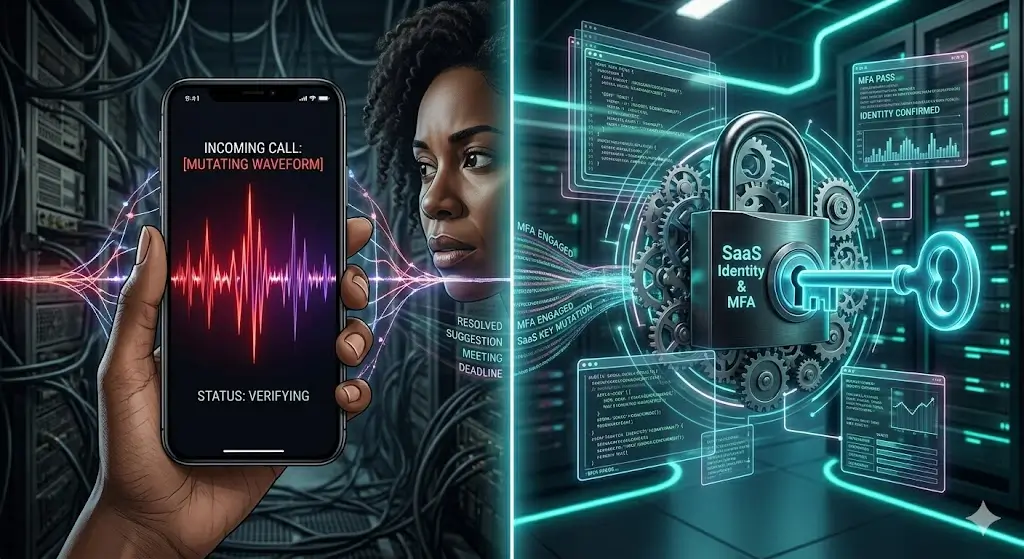
AI voice phishing, also called AI-assisted vishing, uses phone calls or voice messages to pressure a person into revealing credentials, approving a sign-in or transferring money. A convincing voice is only one part of the attack. The more important mechanism is social engineering: the caller creates urgency, impersonates someone trusted and asks the target to bypass a normal control.
Multi-factor authentication (MFA) still blocks many account-takeover attempts, but it cannot protect an account if a user is persuaded to approve the attacker’s request or disclose a one-time code. This guide explains how that happens and gives employees and administrators a defensible response plan.
What is AI voice phishing?
Vishing means phishing conducted through voice calls or messages. AI can make impersonation faster by generating or altering speech, but an attack does not need a perfect clone to work. Attackers also spoof caller ID, cite public information and imitate familiar business procedures.
The US Cybersecurity and Infrastructure Security Agency (CISA) advises people to treat urgent requests for personal or financial information as a phishing warning sign and to verify the request through a known contact method. That principle also applies when the caller appears to be a manager, supplier or IT technician. See CISA’s guidance on how to recognize and report phishing.
How vishing can defeat weak MFA workflows
Vishing does not “break” the mathematics behind MFA. It exploits the person and process surrounding it. A typical attack follows this sequence:
- Research: the attacker identifies an employee, manager, vendor or help-desk process from public information or earlier stolen data.
- Pretext: the caller claims there is an urgent payroll, account, device or customer problem.
- Login attempt: the attacker enters a known or stolen password, causing a genuine MFA prompt to appear on the employee’s device.
- Approval request: the caller tells the employee to approve the prompt, share a code or follow an account-recovery link.
- Account access: a successful approval signs the attacker in. The attacker may then search cloud data, change recovery methods or create persistence.
The warning sign is an authentication event the user did not initiate. A genuine MFA prompt does not prove the person on the phone is legitimate.
Common AI-vishing scenarios
Fake IT support
The caller claims an account is being migrated or repaired and asks the employee to read back a code. Legitimate administrators should not need a user’s password or one-time authentication code.
Executive payment request
A caller impersonates a senior leader and requests an urgent invoice payment, gift-card purchase or change to bank details. The voice may sound familiar, but the transaction must still follow the organisation’s approval process.
Vendor or customer impersonation
The attacker uses details from invoices, email threads or public announcements to appear credible. The requested change may be small—such as replacing a phone number—so it can enable a larger attack later.
MFA fatigue plus a phone call
Repeated authentication prompts create confusion. The attacker then calls and claims approving the latest prompt will stop the alerts. The safe response is the opposite: deny the request, end the call and report the incident.
What employees should do during a suspicious call
- Do not approve anything. Deny unexpected MFA prompts and never reveal a password, recovery code or one-time code.
- End the call. Do not use a number or link supplied by the caller.
- Verify independently. Contact the person or help desk through a saved number, official directory or established internal channel.
- Report quickly. Send the phone number, time, claimed identity and requested action to the security team.
- If you already complied, say exactly what happened. Fast reporting gives administrators a chance to revoke sessions, reset credentials and review activity.
Simple rule: No legitimate caller should ask you to approve a sign-in you did not start or disclose an authentication code.
Controls that reduce vishing risk
Use phishing-resistant authentication
Where practical, protect administrators and other high-impact accounts with phishing-resistant methods such as FIDO security keys or passkeys. CISA’s phishing-resistant MFA guidance explains why organisations should move beyond methods that rely on manually entered codes or simple push approvals.
Enable number matching and additional context
If push-based MFA is still used, number matching requires the user to enter a number shown on the sign-in screen instead of tapping a generic Approve button. Microsoft documents number matching and additional context for Microsoft Authenticator in its authentication guidance. This adds friction for attackers, but users must still reject sign-ins they did not initiate.
Require out-of-band verification for sensitive changes
Bank-detail changes, account recovery, new administrator access and high-value payments should require verification through a second, independently selected channel. The employee should use a number or identity already stored in an approved system—not contact details supplied in the request.
Limit privileges and session lifetime
Apply least privilege, separate normal and administrator accounts, and review standing access. Use conditional-access rules appropriate to the organisation’s risk, and have a tested method to revoke active sessions. These measures limit the damage if an authentication request is approved incorrectly.
Monitor high-risk account events
Prioritise alerts for new MFA registrations, recovery-method changes, unusual sign-in locations, newly created forwarding rules, unexpected OAuth application consent and privilege escalation. An alert is useful only when someone owns the response process.
A practical verification policy
A short written policy is easier to follow under pressure. Organisations can adapt this baseline:
- No employee may disclose a password, recovery code or one-time authentication code.
- Unexpected MFA prompts must be denied and reported.
- IT support will not ask a user to approve an authentication request the user did not initiate.
- Payment and bank-detail changes require approval through an independently verified channel.
- Urgency, seniority or a familiar-sounding voice never overrides the verification process.
Test the policy with short exercises that measure behaviour: Did the employee end the call? Did they use the correct directory? Did the security team receive enough information to act? The goal is not to trick staff; it is to make the safe response automatic.
Incident-response checklist
If a user approved a malicious prompt or disclosed a code, the response team should follow its incident plan and consider these immediate actions:
- Disable or contain the affected account as appropriate.
- Revoke active sessions and refresh tokens.
- Reset credentials and review registered MFA and recovery methods.
- Review sign-in, mailbox, cloud-application and administrator audit logs.
- Remove malicious forwarding rules, application consent or newly granted privileges.
- Check whether the same pretext targeted other employees.
- Preserve evidence and make any required internal or external reports.
The exact sequence depends on the platform and incident scope. Maintain platform-specific playbooks before an attack occurs.
How small businesses can apply this without a large security team
Start with the accounts that can move money, reset other accounts or access customer data. Turn on the strongest available authentication, create a two-person payment-change rule and publish one trusted help-desk contact route. Run a 15-minute tabletop exercise in which a fake manager requests an urgent login approval.
Businesses experimenting with automation should also define what an AI system may and may not approve. Our guide to using AI agents for small business recommends scoped permissions and acceptance tests; those controls also reduce the risk of an attacker using a compromised identity to trigger automated actions.
Frequently asked questions
Can AI clone a voice from a short recording?
Voice-generation capability continues to improve, but the required sample and output quality vary by tool and conditions. Do not base security on detecting audio imperfections. Verify the request through an independent channel.
Is SMS or an authenticator app useless?
No. Any MFA is generally stronger than a password alone, but methods differ in resistance to phishing. Organisations should prioritise phishing-resistant options for high-risk accounts and improve the workflow around remaining methods.
Should employees challenge senior executives on urgent calls?
They should follow the same verification policy for everyone. Leaders should explicitly support employees who pause a request to verify it.
Final takeaway
AI voice phishing succeeds by manipulating trust and authentication workflows—not by proving that MFA is ineffective. The strongest defence combines phishing-resistant authentication, independent verification, limited privileges, useful monitoring and rapid incident response. Treat every unexpected sign-in prompt as a security event, regardless of how convincing the caller sounds.



Great content! Keep up the good work!
thankyou a lot